
Cloudways Review 2026: Is It the Best Managed Cloud?

Cloudways is one of my top choices for managed cloud hosting—full stop. I’ve been using its platform for some time now, and it has quickly become a key part of my setup for its impressive speed and reliability.
Trustpilot Rating: 4.7/5
G2 Rating: 4.8/5
But as someone who manages several high-traffic websites, I’ve also worked with plenty of other hosting services. I understand what makes the Cloudways platform excel and, just as important, where it falls short.
If you're weighing your options, keep reading. My goal is to create the definitive Cloudways review, covering everything you need to make the right choice.
What is Cloudways?
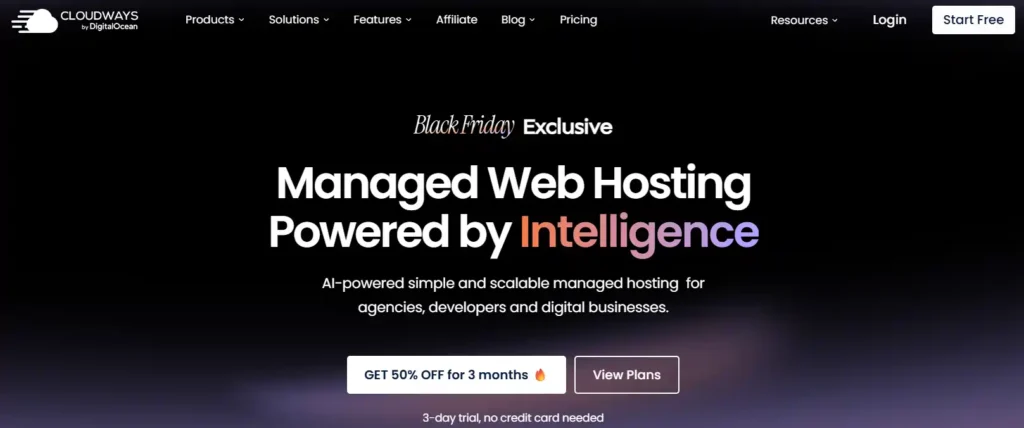
Cloudways is a managed cloud hosting platform. It makes it easy to use powerful cloud servers. You can choose from top providers like DigitalOcean and Google Cloud. Cloudways handles the technical tasks for you.
This means you get amazing speed and performance without the usual headaches. It is a great option for growing websites, online stores, and agencies.

Cloudways Limited Time Deal: Grab 50% Hosting
exclusive
Redeem the Cloudways limited-time coupon for 50% off hosting for three months along with 50 free site migrations.
SAVE UP TO 50%
| Key Aspect | Details |
|---|---|
| 🏢 Founded | 2012 |
| 🧑💻 Founders | Uzair Gadit, Pere Hospital, Aaqib Gadit |
| 🌍 Headquarters | Malta |
| ☁️ Hosting Type | Managed Cloud Hosting |
| 💵 Starting Price | $11 per month |
| ✅ Free Trial | Yes a 3 Day Trial is available |
| ❌ Money Back Guarantee | No |
| 🚀 Cloud Providers | DigitalOcean, AWS, Google Cloud, Vultr, Linode |
| 📈 Uptime | 99.99% Average |
| 💬 Support | 24/7 Live Chat and Ticketing |
| 🚚 Free Migration | Yes 1 Free Managed Migration |
| ⚡ CDN | Cloudflare Add on available |
| 📧 Email Hosting | Rackspace Add on available |
| 👍 Best For | Agencies, Developers, High Traffic Sites |
In short Cloudways gives you the power of the best cloud infrastructure. It removes all the technical barriers so you can focus on your business.
Cloudways Key Features That Matter ⚡
Managed Cloud Infrastructure
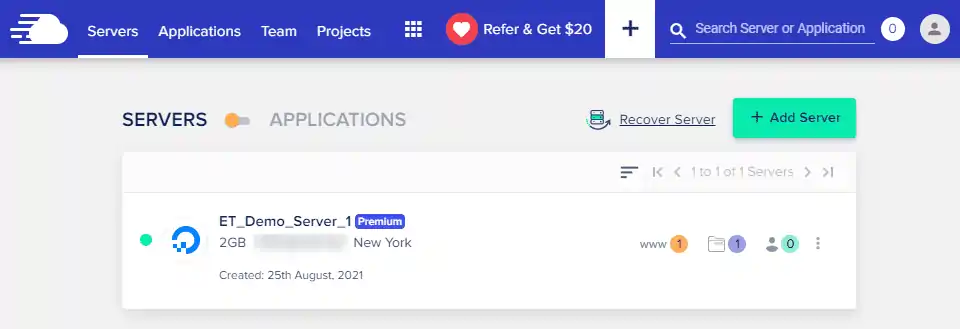
Cloudways gives you access to five premium cloud providers under one dashboard. Choose from DigitalOcean for cost-effectiveness, AWS for enterprise-grade reliability, Google Cloud for speed, Vultr for high-frequency processing, or Linode for balanced performance.
Each provider offers different price points and server locations, giving you flexibility based on your audience geography and budget. You can host unlimited applications on a single server regardless of which plan you choose.
ThunderStack Technology
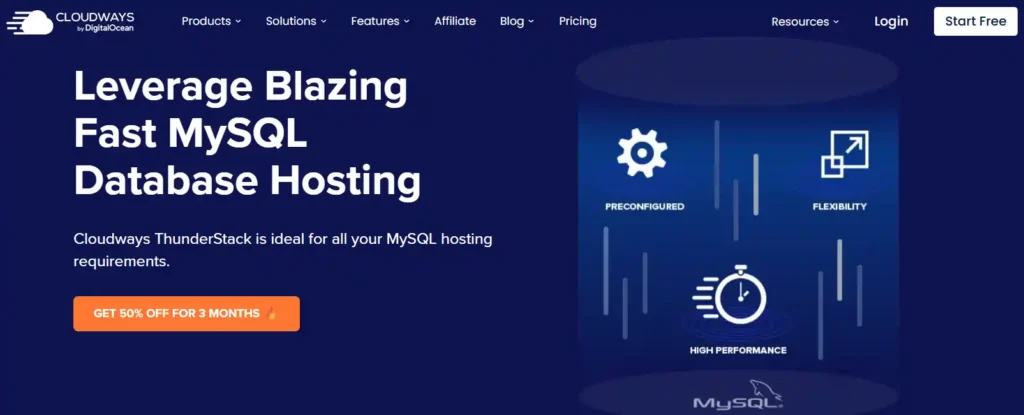
Their proprietary ThunderStack combines Apache and Nginx servers with advanced caching mechanisms including Varnish, Memcached, and Redis. This multi-layered approach delivers faster page loads than traditional hosting setups.
Built-In Performance Optimization
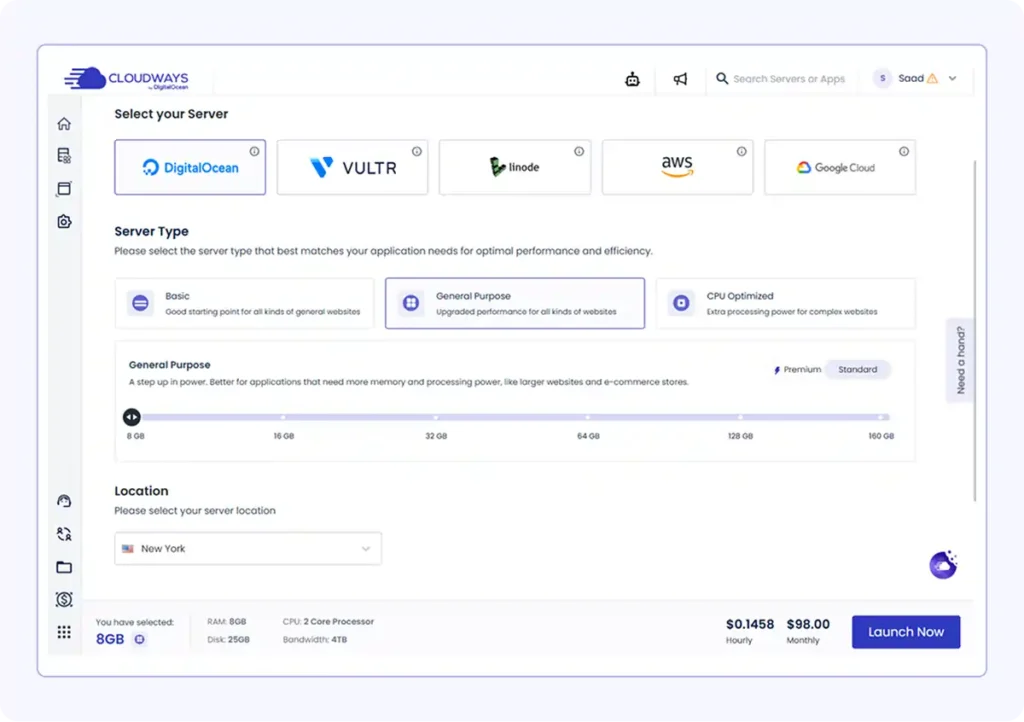
Performance optimization comes baked into every server. The Breeze Cache Plugin (their custom WordPress caching solution) reduces page load times significantly. Combined with full-page caching via Varnish and Edge Page Caching with Cloudflare, sites load up to 66% faster.
Real testing shows impressive numbers: Average TTFB of 138ms compared to industry averages of 300-500ms, and full page loads completing in around 1.2 seconds.
Auto-Healing Servers
Here's something unique – self-healing servers that automatically restart if any issues are detected. You're not sitting around waiting for support to notice downtime. The system monitors itself 24/7 and takes corrective action immediately.
Vertical Scaling Without Downtime
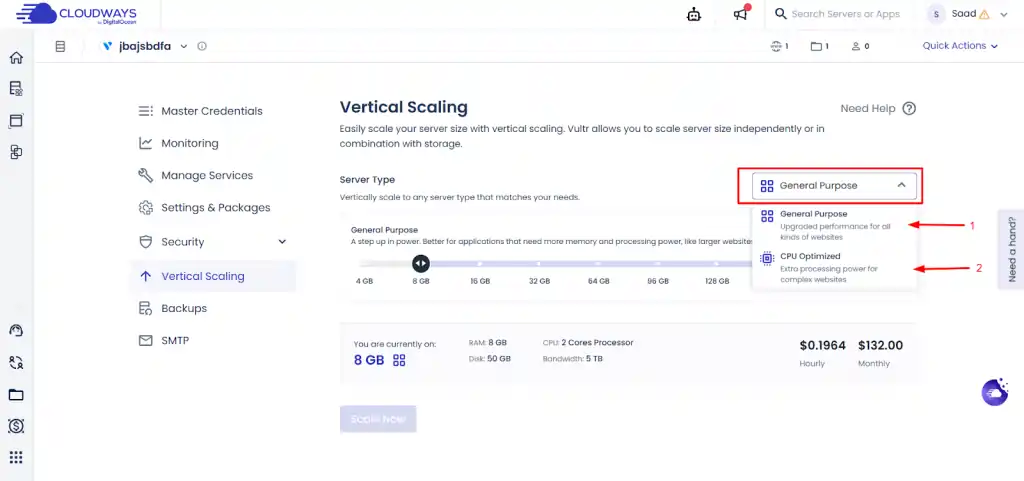
Traffic spike incoming? Scale your server resources with one click. With AWS and Google Cloud, you can scale CPU, RAM, and storage independently. DigitalOcean, Linode, and Vultr require scaling everything together, but the process remains simple.
The best part? You can scale down with AWS and Google Cloud when traffic normalizes, though DigitalOcean, Linode, and Vultr make scaling permanent.
Staging Environments
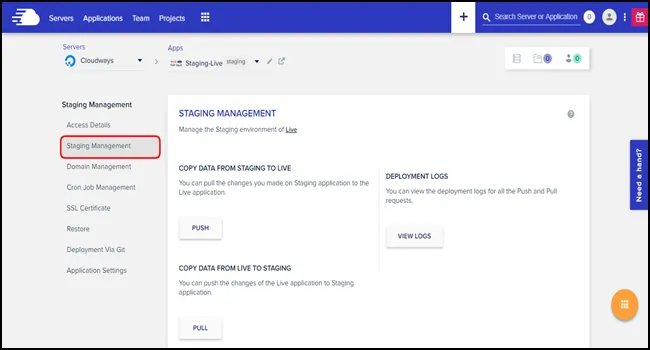
Testing changes on a live site is risky. Cloudways includes staging environments on all plans, letting you clone your site, make changes, and push them live only when ready. You can choose to overwrite everything or only sync specific changes.
Team Collaboration Features
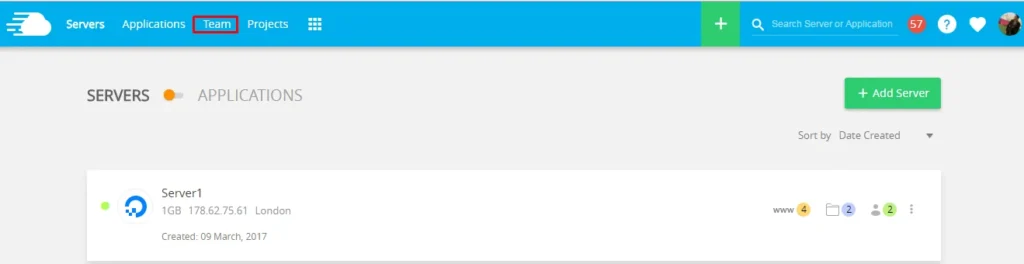
Managing multiple clients or team members? Cloudways lets you add unlimited team members with granular permission controls. Grant full access or limit them to specific servers, applications, billing, or support functions.
Security Features That Protect Your Assets 🔒
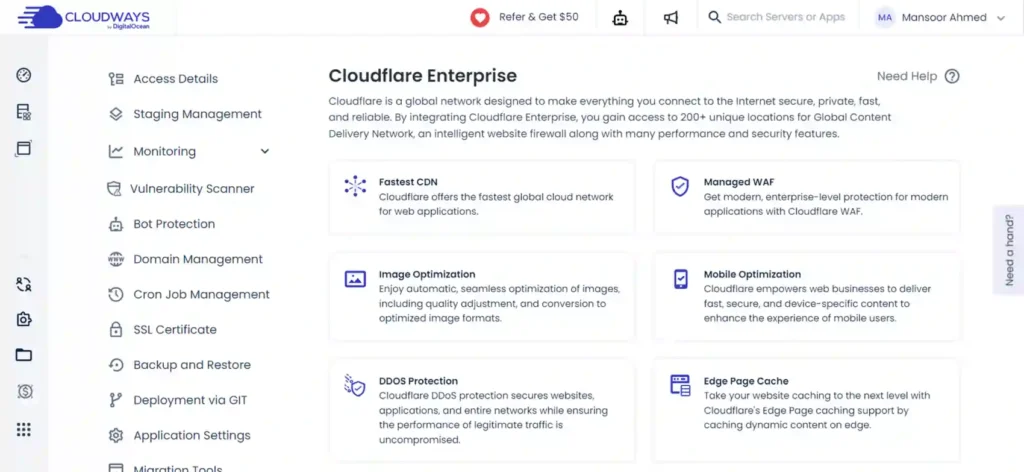
Security isn't an afterthought here. Every server includes:
New login alerts notify you when unknown devices access your account, and Server Monitoring Alerts email you if downtime exceeds 10 minutes.
Cloudways Performance Testing: Real Numbers 📊
Let's talk actual performance because that's what matters for conversions and SEO rankings.
Speed Test Results
Testing with a Singapore-based DigitalOcean server running WordPress with Elementor and the Breeze Cache plugin (default settings), speed tests showed:
These speeds are exceptional, especially considering minimal optimization. The geographic proximity to your server matters significantly for performance.
Uptime Performance
While Cloudways doesn't advertise an uptime guarantee, real monitoring over 365 days using Better Uptime (checking every 30 seconds) revealed:
Even the entry-level $11/month DigitalOcean plan maintained near-perfect uptime.
Load Handling Capacity
Load testing with 50 virtual users generating 7,900 requests showed:
Cloudways handles traffic surges well without degrading performance or suffering downtime.
Cloudways Pricing Plans Explained 💳
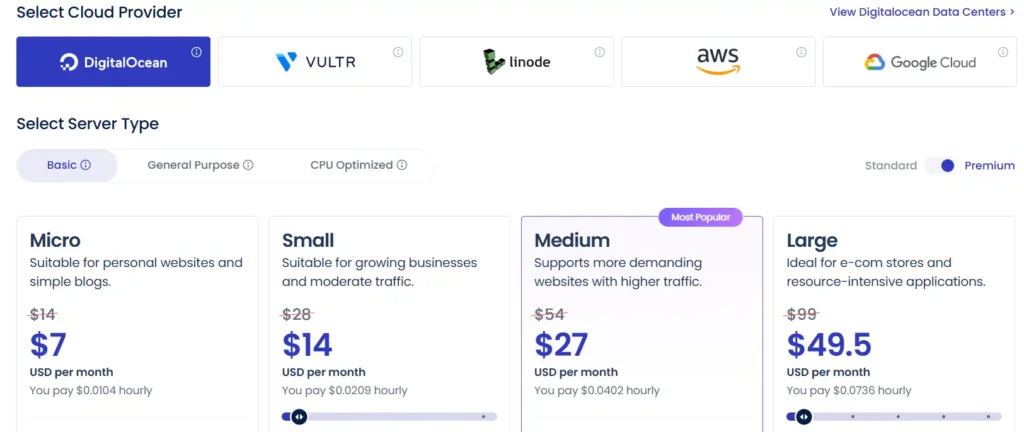
Cloudways follows a pay-as-you-go pricing model, meaning you only pay for resources consumed rather than committing to fixed monthly or annual contracts. If you launch a server on the 20th of a month, you're charged only for those remaining days, not the full month.
Pricing varies significantly based on which cloud provider you select:
| Cloud Provider | Entry Plan (Monthly) | RAM | Storage | Bandwidth |
|---|---|---|---|---|
| DigitalOcean | $7/month | 1 GB | 25 GB | 1 TB |
| Vultr | $7/month | 1 GB | 25 GB | 1 TB |
| Linode | $7/month | 1 GB | 25 GB | 1 TB |
| AWS | $10.28/month | 1.75 GB | 20 GB | 2 GB |
| Google Clou | $18.6/month | 1.70 GB | 20 GB | 2 GB |
DigitalOcean plans scale from $7/month for basic sites up to $49.5/month for servers with 8 GB RAM, 4 cores, and 160 GB storage. AWS and Google Cloud cost significantly more but offer enterprise-level reliability and performance suitable for high-traffic eCommerce stores or SaaS applications.
Cloudways Autonomous (autoscaling WordPress hosting) starts at $50/month and includes Cloudflare Enterprise CDN, automatic resource scaling, and premium caching plugins.
Additional Costs to Consider
Whilst base hosting is reasonably priced, certain features carry extra charges:
Free Trial and Payment Methods
Cloudways offers a 3-day free trial for DigitalOcean, Linode, and Vultr servers without requiring credit card details. This gives you enough time to test features and performance before committing.
Accepted payment methods include Visa, MasterCard, Amex, and PayPal. Wire transfers are accepted for amounts exceeding $1,000.
Step-by-Step Guide: Getting Started With Cloudways 🎯
- Step 1: Sign Up and Choose Your Stack
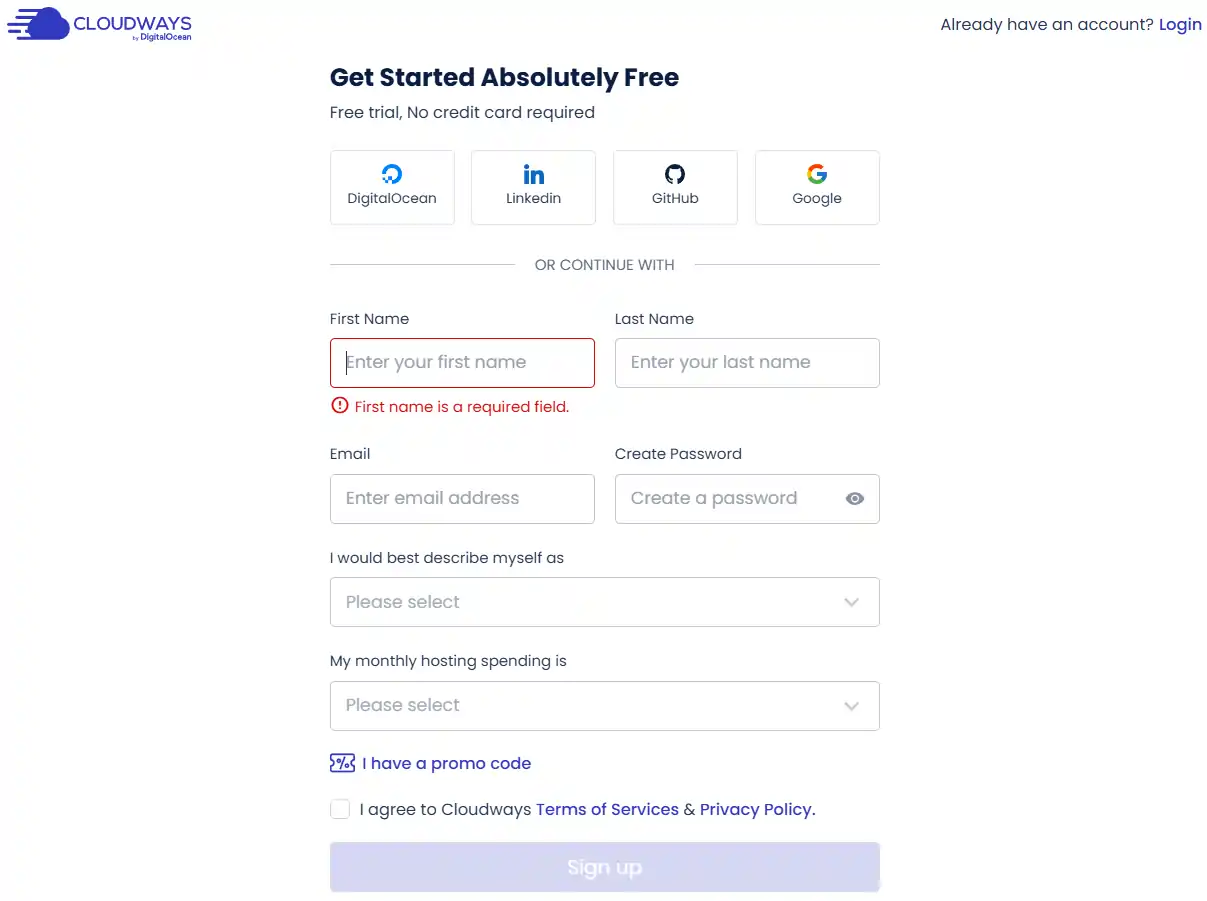
Head to Cloudways and click “Start Free”. You can sign up using email, GitHub, LinkedIn, or Google. No credit card needed for the trial.
- Step 2: Select Your Application and Provider
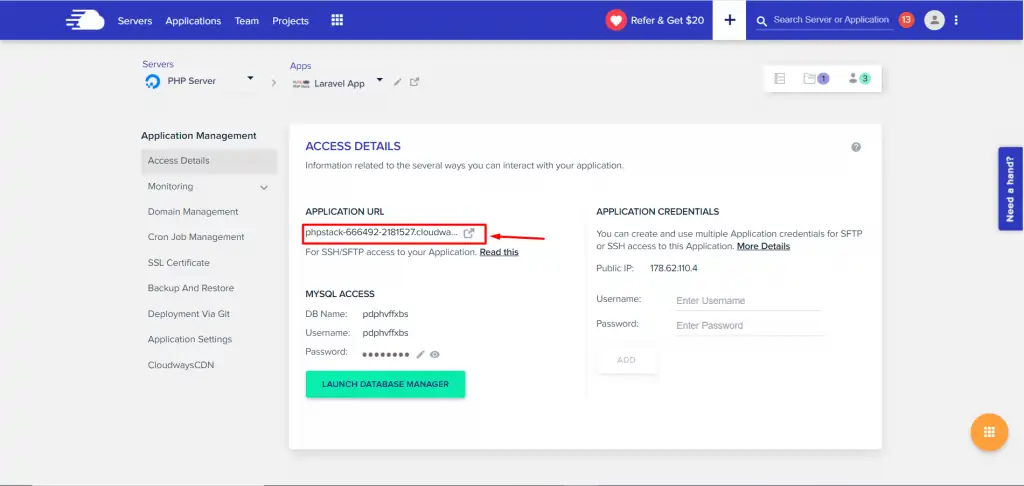
Choose your application (WordPress, Magento, Laravel, or custom PHP) and cloud provider. For beginners, DigitalOcean with WordPress offers the best balance of price and performance.
- Step 3: Configure Server Size
Select server specifications based on expected traffic. Start small – you can always scale up. A 1GB server handles 50,000-70,000 monthly visitors comfortably with proper optimization.
- Step 4: Pick Your Server Location
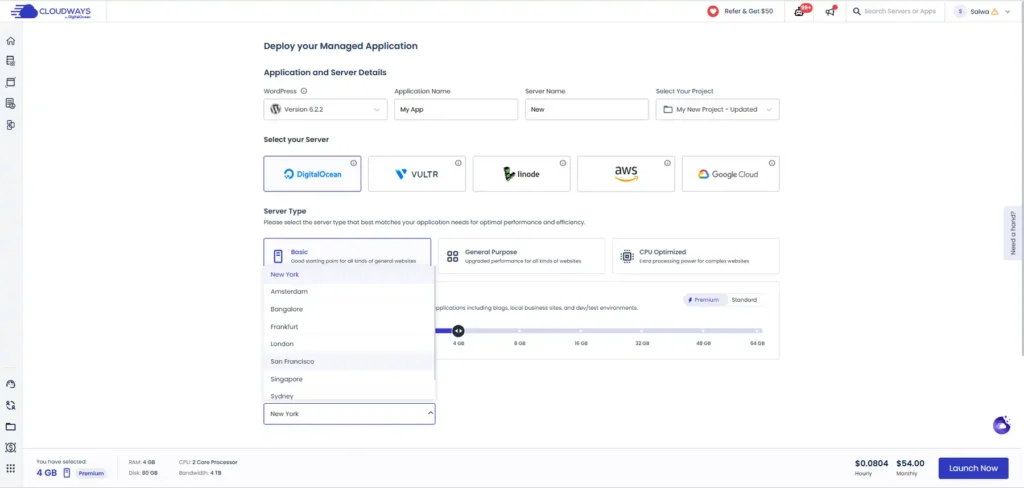
Choose the data center closest to your target audience. Cloudways offers 75+ data centers globally across North America, Europe, Asia, Australia, and more.
- Step 5: Launch Your Server
Click launch and wait 5-10 minutes while your server deploys. Once ready, you'll get access credentials for WordPress admin, MySQL, SFTP, and SSH.
- Step 6: Install SSL Certificate
From the dashboard, navigate to SSL Certificate and install a free Let's Encrypt certificate with one click.
- Step 7: Connect Your Domain
Add your domain in the Application Management section. Point your domain's DNS to the IP address provided by Cloudways. The new Bulk Domain Management feature lets you add multiple domains simultaneously.
- Step 8: Configure Breeze Cache
Enable and configure the Breeze Cache plugin from the Cloudways panel. Start with default settings and adjust based on your site's needs.
- Step 9: Set Up Automated Backups
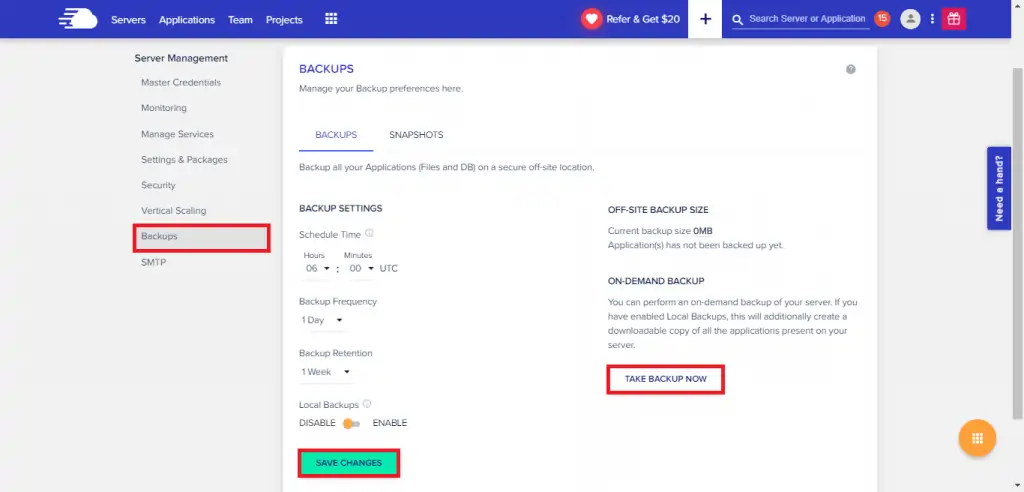
Configure backup frequency, time, and retention period under Backup settings. Remember, backups cost $0.033/GB with a $0.50 minimum.
- Step 10: Enable Security Features
Turn on Two-Factor Authentication, configure IP whitelisting, and enable bot protection.
Cloudways Autonomous: WordPress Autoscaling Solution ⚙️
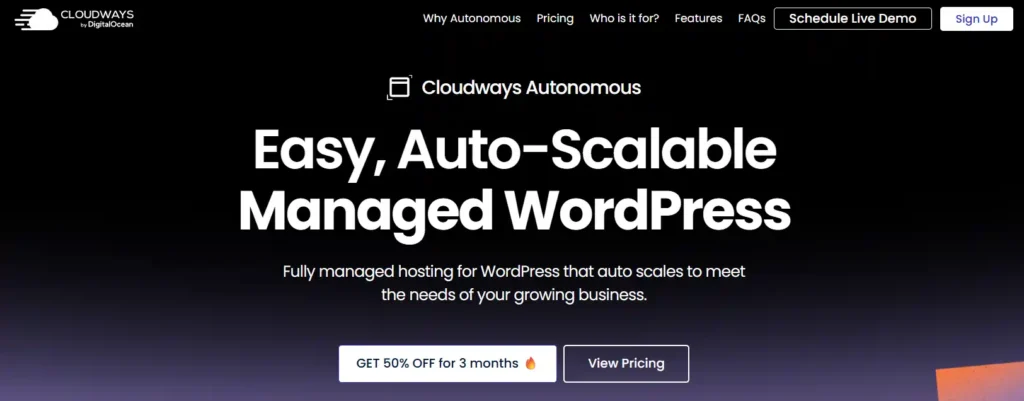
Cloudways Autonomous represents their fully managed WordPress solution built on Kubernetes. It automatically scales resources based on incoming traffic, eliminating manual intervention.
Key features include:
Pricing starts at $35/month with a 3-day free trial. Ideal for WooCommerce stores and high-traffic WordPress sites that experience unpredictable traffic patterns.
Cloudways Alternatives: How Does It Compare? 🔄
| Feature | Cloudways | Kinsta | SiteGround | Rocket.net |
|---|---|---|---|---|
| Starting Price | $11/month | $30/month | $6.99/month | $25/month |
| Cloud Type | Multi-provider | Google Cloud only | Google Cloud | AWS |
| Uptime | 99.99% | 99.99% | 99.9% | 99.99% |
| Speed | 1.2s | 1.4s | 0.965s | 1.7s |
| Free Migrations | 1 | Unlimited | Unlimited | Unlimited |
| Data Centres | 75+ | 37+ | 7 | Multiple |
| Money-Back | None | 30 days | 30 days | 30 days |
| Email Hosting | Paid ($1/month) | Not included | Free | Not included |
| CDN | Paid ($5/month) | Free | Free | Free |
| Best For | Scalability & flexibility | Performance & support | Budget-conscious users | Auto-scaling WordPress |
Who Should Use Cloudways? 🎯

Cloudways excels for specific use cases:
Final Verdict: Cloudways Review on Speed, Reliability & Value
Cloudways stands out as a premier option for affiliate marketers and digital agencies who demand peak performance. A platform’s power in delivering fantastic speed and solid stability makes it a smart investment for professionals chasing strong returns.
For any online business where uptime and quick loading directly affect profits, Cloudways' infrastructure gives a significant advantage.
Editor Rating: 4.8/5
What is a slow website costing your business in lost conversions?
